How to Create a Wedding Seating Chart: Tips & Template
A useful wedding seating chart starts with two things: a confirmed guest list and the reception layout your venue will actually use. Build the room first, then group guests by household, family, friends and shared connections before assigning tables. Keep practical needs such as mobility, children, family tensions, meal choices and late changes in the same working sheet. The wedding seating chart template below gives you one place to manage those details before turning the final assignments into a guest-facing sign.
Start With the Reception Layout, Not the Guest Names
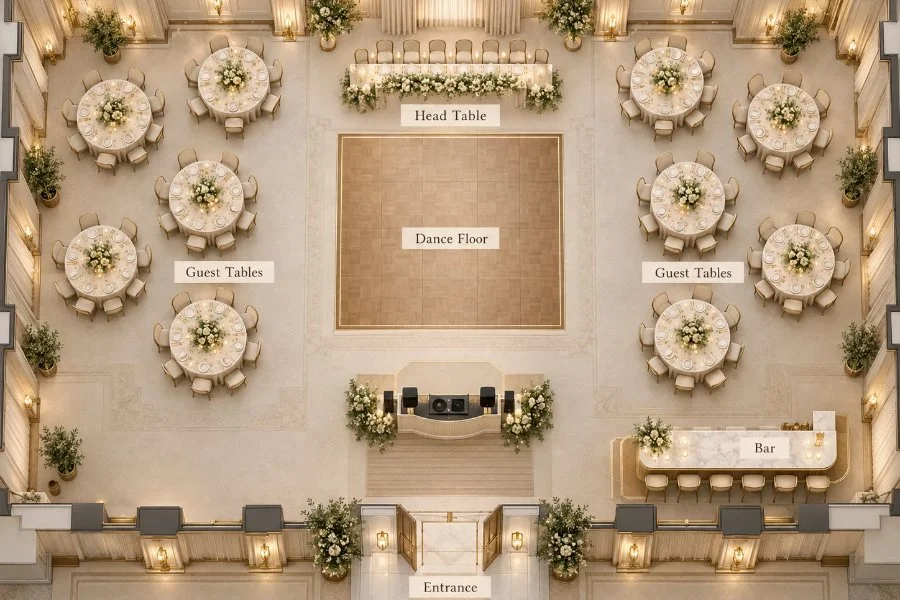
Before moving names from table to table, confirm the physical setup of the room. Ask your venue which table shapes and sizes will be used, how many guests each table can hold, and where key reception elements will sit.
Your working floor plan should account for the couple’s table or head table, guest tables, dance floor, entertainment area, bar, entrances and any service or circulation space the venue needs.
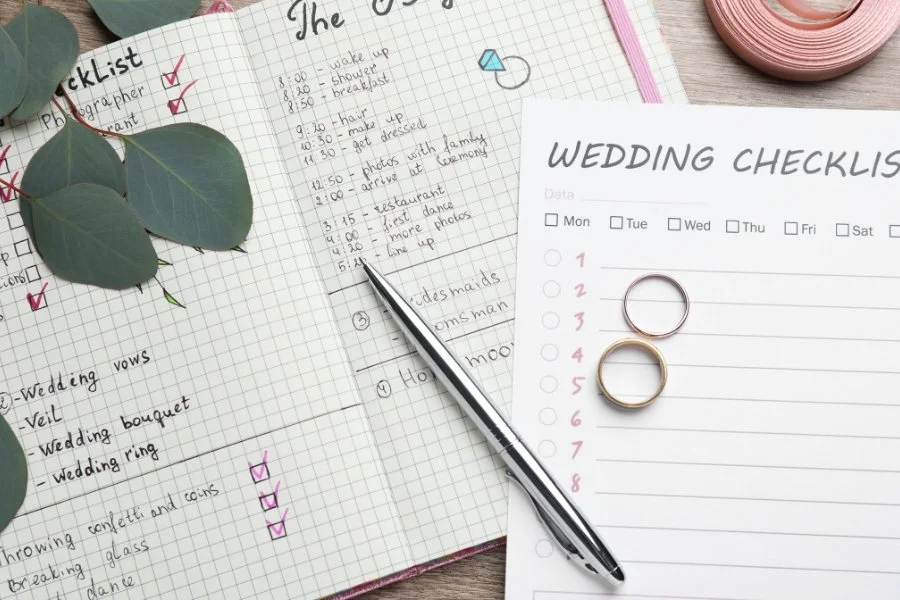
If you are still working through broader planning decisions, Château Le Jardin’s wedding planning checklist can help place seating assignments within the larger wedding timeline.
Wedding Seating Chart Template: Organize Your Guests and Tables
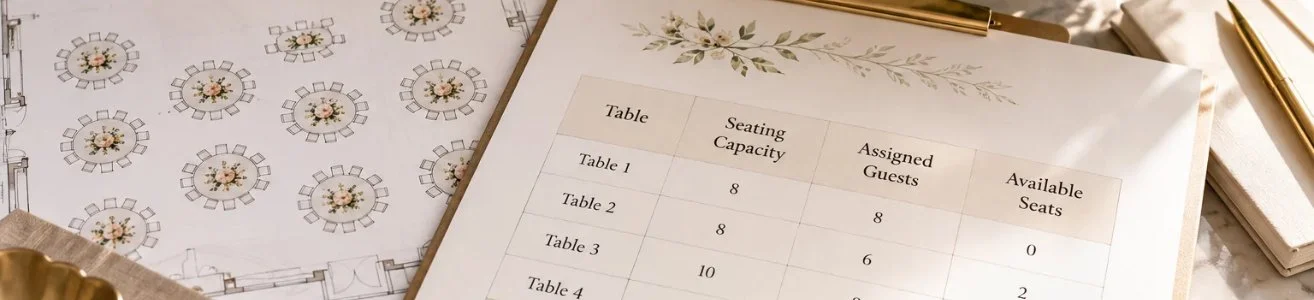
A wedding seating chart template helps you organize guest assignments, track table capacity and keep important details in one place. Start with a guest list spreadsheet, then create a table-by-table summary to see how your reception seating is coming together.
You can copy the examples below into Excel or Google Sheets and adjust them to match your guest count and venue layout.
Guest Assignment Template
Use this template to track each guest's RSVP status, assigned table and any details that could affect their seating.
Example entries are for illustration only.
Keep one row per guest, even when couples or families are seated together. Separate entries make it easier to count confirmed guests, identify missing assignments and communicate meal requirements to your caterer.
Table Seating Template
Once guests have been grouped, use a second table to track how many seats are available at each reception table.
The table summary makes it easier to spot overfilled tables, available seats and groups that may need adjusting. Keep both templates updated as RSVPs are confirmed and seating assignments change.
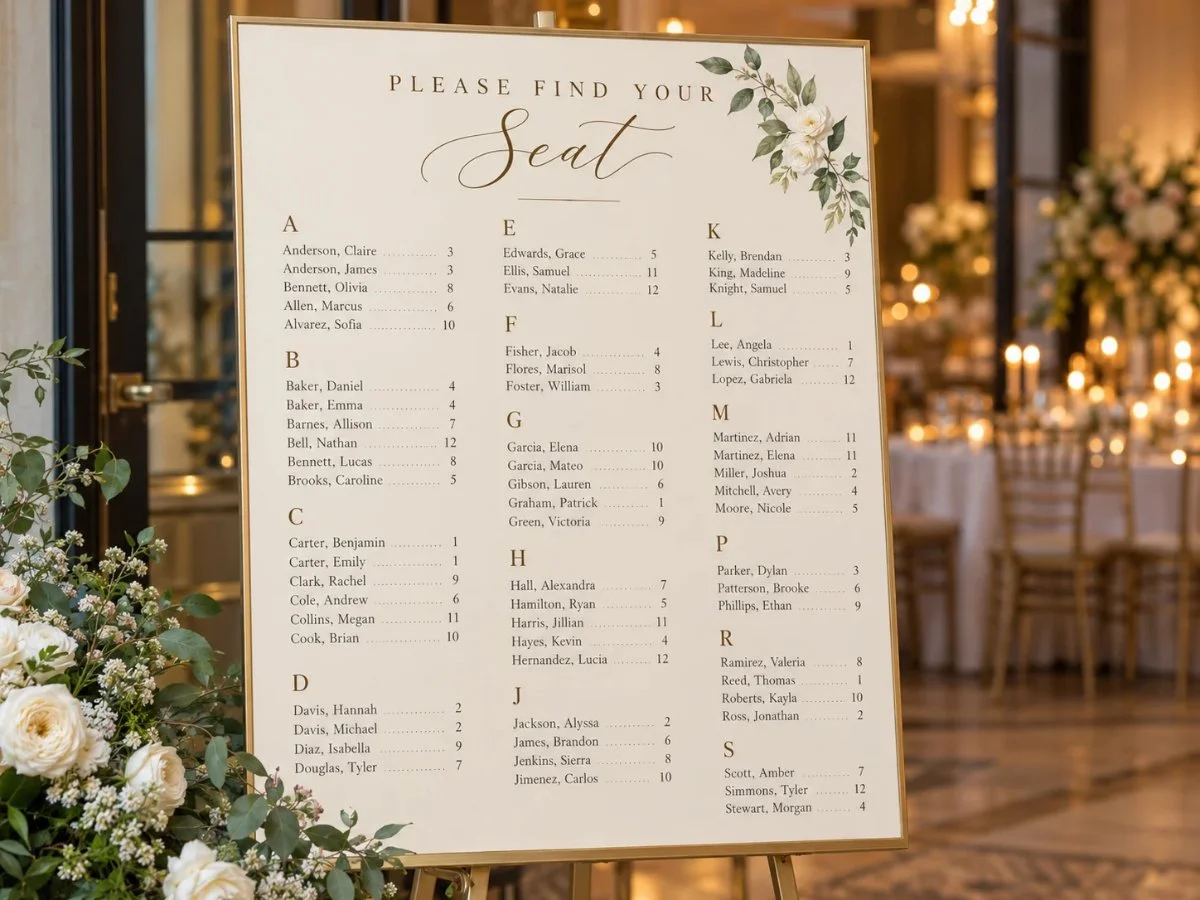
Once the arrangements are finalized, you can turn the guest assignments into a printable wedding seating chart organized alphabetically or by table number. The final display should show only the information guests need to find their seats.
For couples who prefer a visual planning tool, WeddingWire Canada's seating chart planner can help arrange tables, while Adobe Express wedding seating chart templates can be used to design the guest-facing display.
These numbers are illustrative. Confirm the actual table capacities and floor plan with your wedding venue.
Build the Wedding Table Seating Plan Step by Step
Confirm the Guest List You Are Actually Seating
Start with accepted RSVPs rather than the full invitation list. Mark unresolved replies clearly instead of giving tentative guests permanent seats. Keep the seating file aligned with the headcount shared with the venue and caterer.
Group Guests Before Assigning Tables
Create broad social groups first: immediate family, extended family, school friends, work friends, neighbours and other circles that naturally know one another.
Grouping first is faster than assigning one person at a time and helps reveal where smaller social circles can share a table comfortably.
Place the Fixed Groups First
Seat the people whose location has the greatest effect on the rest of the plan. Depending on the wedding, that may include parents, grandparents, the wedding party, close family members or guests with accessibility needs.
There is no universal rule that one side of the family must receive a certain table number. Prioritize comfort, relationships and room layout.
Fill the Remaining Tables by Social Fit
Keep couples and households together unless there is a clear reason not to. Avoid building a “singles table” solely around relationship status. A guest who knows only one or two people will usually have a better dinner experience beside familiar faces than at a table made up of strangers who happen to be single.
For mixed tables, look for a real connection: mutual friends, family branches that know each other, or guests likely to converse comfortably.
Account for Practical Placement Needs
A wedding reception seating chart also has to work physically.
Guests with mobility concerns may benefit from easier access to the room entrance, washrooms or a clear aisle. Older relatives may prefer a location away from loud speakers. Parents with young children may need room for a high chair or easier movement in and out of the table.
Confirm specific placement needs with the venue rather than guessing from a generic diagram.
Decide Between Assigned Tables and Assigned Seats
Assigned tables tell each guest which table to use while allowing them to choose their chair. Assigned seats go further by placing each person at a specific setting.
Assigned tables are simpler to manage and give guests some freedom. Exact seats can help with long tables, complex family situations or plated meals tied to specific place settings.
Ask the venue and caterer what information they need before you commit to either format.
Review the Plan as a Complete Room
Once every confirmed guest has a place, check the reception as a whole.
Look for tables that feel overfilled or unusually sparse, guests placed far from the people they came with, awkward family pairings, blocked pathways, and anyone still marked as unassigned. Then compare the guest total in your seating file with the confirmed event headcount.
Make the Guest-Facing Chart Easy to Read
The working plan manages details. The display at the entrance should answer one question quickly: where do I sit?
For a larger guest list, an alphabetical wedding seating chart can help people find their names faster. A chart arranged by table can work well when the guest count is smaller or the design clearly separates each table.
Whichever format you use:
If two guests share the same name, add enough identifying detail to prevent confusion. Couples with different surnames are usually easier to find when each person is listed under their own name.
Align the Final Chart With the Venue
Before printing, send the latest table assignments to the people responsible for room setup and meal service.
Château Le Jardin offers flexible event space and wedding coordination support, so couples hosting their reception at the venue can plan seating around the confirmed ballroom configuration rather than a generic diagram. The Château Le Jardin wedding venue page provides more context on the spaces and wedding planning support available in Vaughan.
For couples who want to review layout, timing and other venue details before finalizing the reception plan, a wedding consultation can help bring those pieces together.
Key Points to Keep in Mind
- Build the room layout before assigning names.
- Work from confirmed RSVPs and venue-approved table capacities.
- Group guests by real relationships before placing them at tables.
- Give accessibility, family dynamics and meal service practical attention.
- Keep one editable master file until the final venue deadline.
- Make the guest-facing chart simple enough to scan quickly.
Frequently Asked Questions
-
If vendors will eat during the reception, confirm their meal and seating arrangements with your venue or caterer. Some events use a separate vendor table or designated staff area rather than placing vendors on the guest-facing chart.
-
A children’s table can work for older children who are comfortable sitting together and have suitable supervision. Younger children are often easier to place with parents or caregivers. Base the decision on age, supervision and the room setup.
-
Not necessarily. A seating chart can assign guests to tables, while place cards identify a specific chair. Exact place cards may be useful for assigned-seat dinners, meal identification or other service requirements. Confirm what your venue and caterer need.
-
List each guest by their own name. On an alphabetical display, placing each person under their own surname makes the chart easier to search. Their table number can still be the same.
-
Keep the editable master list accurate and tell the venue or caterer about the change first. For a small last-minute adjustment, a separate escort card or table-assignment card may be easier to update than reprinting the full display.
Planning Your Wedding Seating at Château Le Jardin?
Every wedding guest list is different, and the right seating arrangement starts with your reception space. Château Le Jardin's event team can discuss table configurations, guest capacity, accessibility needs, and reception layouts to help you plan a comfortable experience for your guests.
Schedule a Wedding Consultation →